Xbox Series X vs Series S: Which Xbox Should You Buy?
Xbox Series X vs Series S is the choice every new Xbox buyer has to make. Both consoles belong to the same generation, play the same games and use the same controller. One is built for 4K and costs more. The other is small, cheaper and aimed at 1440p. Picking the wrong one means either overpaying or running out of power and storage sooner than you expected.
We sell both at Nine Consoles, and this guide covers the questions buyers ask us most. The short version: the Series X is the better console for a 4K TV and a large game library, and the Series S is the smart buy for a smaller budget, a second room or a Game Pass machine.
Table of contents
Xbox Series X vs Series S: the quick answer
Here is the Xbox Series X vs Series S decision in three lines.
- Buy the Xbox Series X if you play on a 4K TV, want the best picture and frame rate, or own game discs and 4K Blu-ray films.
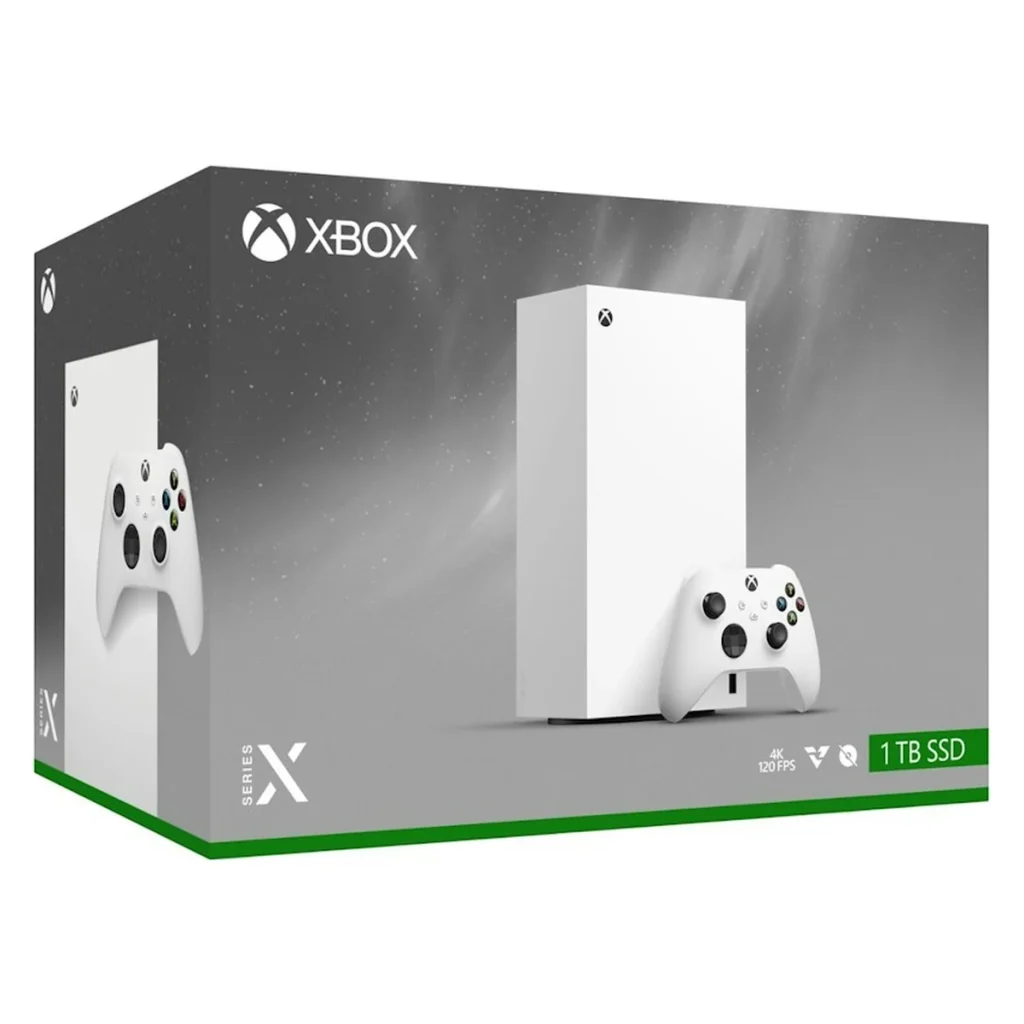
- Buy the Xbox Series X Digital Edition if you want the same power for a little less and you download all your games.
- Buy the Xbox Series S if you want the lowest price, play on a 1080p or 1440p screen, or mainly use Game Pass.
You can see every model with today’s prices in our store: the Series X with disc drive, the Series X Digital Edition, the Series S 512GB and the Series S 1TB.
Xbox Series X vs Series S at a glance
The table below compares the main specifications. Graphics power, storage and the disc drive are the rows that change how you play.
| Feature | Xbox Series X | Xbox Series S |
|---|---|---|
| Released | November 2020 | November 2020 |
| Processor | AMD Zen 2, 8 cores at 3.8 GHz | AMD Zen 2, 8 cores at 3.6 GHz |
| Graphics power | 12 teraflops | 4 teraflops |
| Memory | 16 GB | 10 GB |
| Target resolution | 4K | 1440p, upscaled to 4K |
| Frame rate | Up to 120 frames per second | Up to 120 frames per second |
| Storage | 1 TB SSD | 512 GB or 1 TB SSD |
| Disc drive | 4K Blu-ray on the disc model | None |
| Size | 301 x 151 x 151 mm | 275 x 151 x 65 mm |
| Games | All Xbox Series games | All Xbox Series games |
Design and size
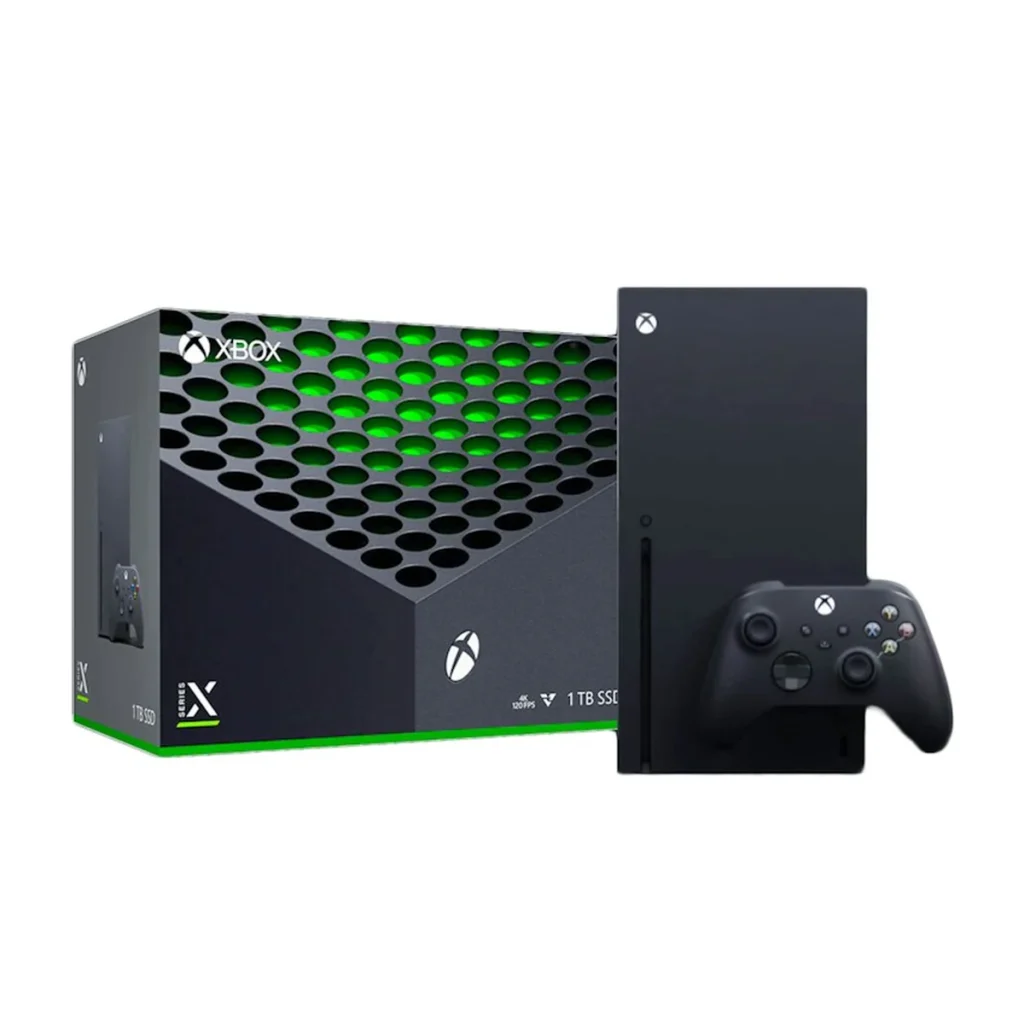
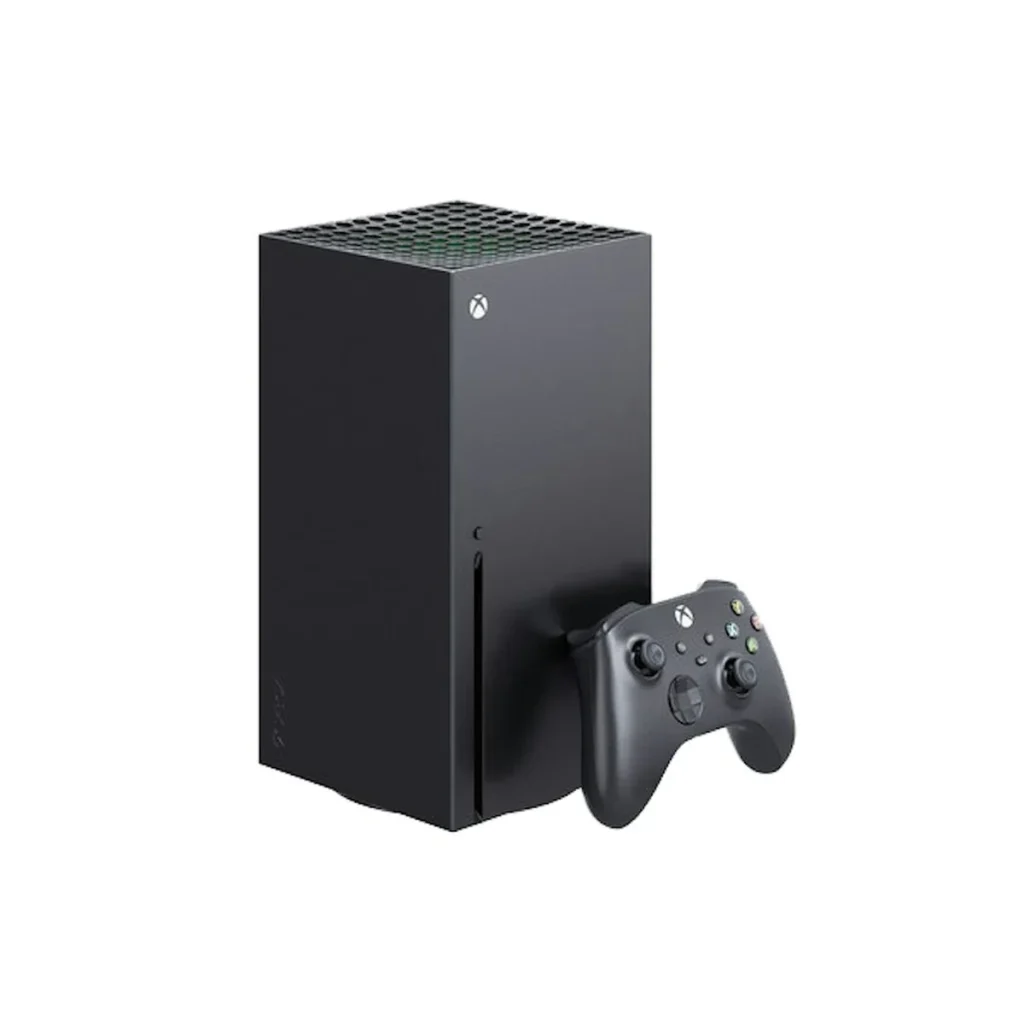
The two consoles look nothing alike. The Series X is a matte black tower, a little like a small PC, with a wide circular vent on top. It stands upright or lies on its side, and it needs a shelf with some height or depth.
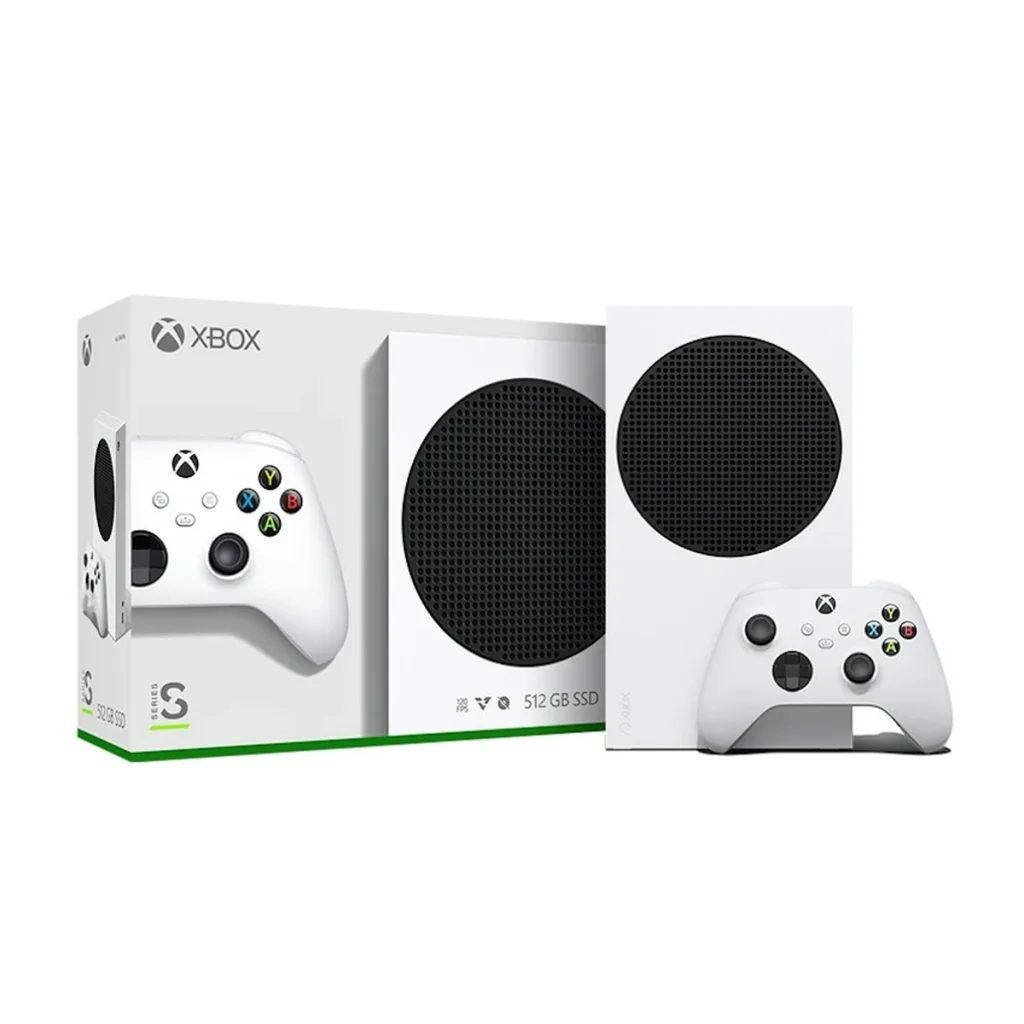
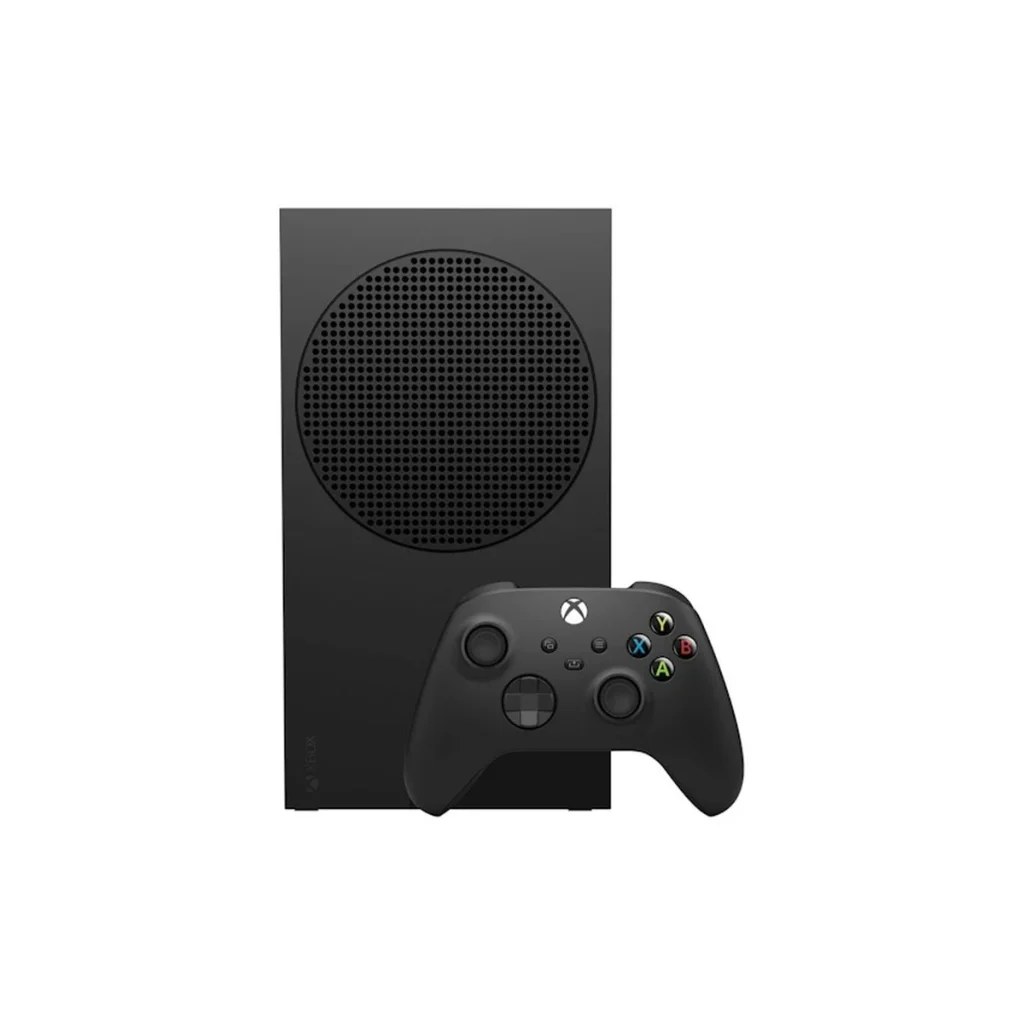
The Xbox Series S is the smallest Xbox Microsoft has made. It is a slim slab less than half the volume of its bigger brother, with a round black vent on one face. It slides into narrow TV units, fits in a backpack and weighs under two kilograms.
If space is tight, or you want a console you can carry between rooms or take on a trip, the smaller console wins this round easily. The Series X Digital Edition has the same tower shape as the disc model, in white and without the drive slot.
Performance and graphics
Performance is where the Xbox Series X vs Series S comparison matters most. Both consoles use the same family of processor, so they feel equally quick in menus and load games in seconds. The difference is graphics power and memory.
Resolution
The Xbox Series X has a 12 teraflop graphics chip and targets native 4K. The Series S has a 4 teraflop chip and targets 1440p, then upscales the picture to fit a 4K TV. On a large 4K screen the Series X looks sharper, with more detail in textures and distant scenery.
Frame rate
Both consoles can output up to 120 frames per second on a compatible TV. In practice, the Series X reaches high frame rates in more games and holds them more steadily. On the smaller console, 60 frames per second is common, but demanding games sometimes run at 30.
Ray tracing and visual settings
Both support ray tracing, the lighting technique that produces realistic reflections and shadows. Because it is so demanding, many games enable it only on the Series X, or run it at a lower quality on the Series S. Expect shorter draw distances and simpler effects on the cheaper console in the newest releases.
What this means on screen
On a 1080p or 1440p monitor, the two consoles look closer than the numbers suggest. On a 55-inch or larger 4K TV, the extra sharpness of the Series X is easy to see. Your screen should guide your choice more than the specification sheet.
Storage
Storage is the most common regret we hear about. The Series X comes with a 1 TB solid-state drive. The Xbox Series S comes with either 512 GB or 1 TB, depending on the model you choose.
Part of every drive is used by the system. On the 512 GB model, around 364 GB is free for games. With modern releases often taking 50 to 100 GB each, that is room for only a handful of big titles. The 1 TB models hold roughly twice as much.
Games built for Xbox Series consoles must run from fast storage, so you cannot simply plug in any cheap hard drive. You have two ways to add space.
- Storage Expansion Card: a small card from Seagate or Western Digital that plugs into the back of the console and runs games at full speed.
- External USB drive: a low-cost way to store games you are not playing, and to run older Xbox One and Xbox 360 titles directly.
If you plan to keep many games installed, choose the Xbox Series S 1TB over the 512 GB model. The price difference is usually smaller than the cost of an expansion card later.
Disc drive
Only one model plays discs: the standard Series X. Its 4K Ultra HD Blu-ray drive plays Xbox game discs, 4K Blu-ray films, standard Blu-rays and DVDs.
The Series X Digital Edition and both Series S models have no drive, and none can be added later. Every game must be downloaded from the Microsoft Store or through Game Pass.
This matters more than many buyers expect. Disc games are often cheaper a few months after release, and you can lend, trade or resell them. Older Xbox One and Xbox 360 discs also work on the disc model. If you own a disc collection or like buying used games, the Series X with a drive is the only choice.
Games and Game Pass
Every game released for this generation runs on both consoles. Microsoft requires developers to support both, so you will never find a game that only works on the more expensive machine. Your saves, purchases and friends list follow your account.
Game Pass is Microsoft’s subscription service, with hundreds of games you can download and play for a monthly fee. It includes Microsoft’s own titles on release day at the higher tiers. You can read the current plans on the official Game Pass page.
Game Pass is a big reason the Xbox Series S is popular. A low-cost console plus a subscription gives you a large library without buying games one by one. Because every Game Pass title is a download, the missing disc drive does not matter.
Both consoles also play thousands of older games from Xbox One, Xbox 360 and the original Xbox. Many run better than they did on the original hardware, with steadier frame rates and faster loading.
Features both consoles share
Despite the gap in power, the two consoles share almost every feature. You get all of the following on either one.
- Quick Resume: switch between several games and continue each one exactly where you left it.
- Fast loading: both use a solid-state drive, so games start in seconds.
- Variable refresh rate: smoother motion on TVs and monitors that support it.
- Auto HDR: adds high dynamic range colour to older games.
- Dolby Vision and Dolby Atmos: for supported games, films and sound systems.
- Smart Delivery: buy a game once and get the right version for your console.
The ports are the same too: HDMI 2.1, three USB ports, Ethernet and the storage expansion slot. Both connect to Wi-Fi, though a network cable gives the fastest downloads.
Setup is the same as well. You sign in with a Microsoft account, and the Xbox app on your phone can copy your Wi-Fi details and preferences across in a couple of minutes. If you are upgrading from an Xbox One, your games, saves and accessories carry over.
Which TV or monitor do you have?
Start with your screen. If you have a 4K TV, especially a large one with a 120 Hz panel, the Series X makes full use of it. This is the setup where the Xbox Series X vs Series S difference is clearest.
If you play on a 1080p TV, a 1440p gaming monitor or a small bedroom screen, the Xbox Series S is a natural match. Its output lines up with those resolutions, and you would not see much of the extra detail the bigger console produces.
Planning to upgrade your TV in the next year or two? Then think ahead. A console lasts for many years, and the Series X will still look its best on the screen you buy later.
What comes in the box
The contents are simple and nearly the same for every model.
- The console
- One Xbox Wireless Controller with two AA batteries
- An HDMI cable
- A power cord and printed guides
The Series X with disc drive includes a Carbon Black controller. The Digital Edition and the white Series S include a Robot White controller. Every console we sell is brand-new and sealed, so the contents match what Microsoft packs at the factory.
Price and value
The Series S is the cheapest way into current Xbox gaming, and the Series X with disc drive is the most expensive. The Digital Edition sits between them. Prices have changed several times, so we do not quote figures here. Each product page in our store shows the current price.
When you compare value, count the extras. A buyer of the 512 GB model who later adds a Storage Expansion Card can end up spending close to the price of the bigger console. A Series X buyer may save money over time by buying discounted or used discs.
For a main console on a 4K TV, the Series X is the better long-term value. For a second console, a child’s first console or a Game Pass machine, the Xbox Series S is very hard to beat.
Who should buy the Xbox Series X?
Choose the Xbox Series X if most of these describe you.
- You own, or plan to buy, a 4K TV.
- You want the best resolution and the steadiest frame rate.
- You play the newest, most demanding games.
- You own game discs, buy used games or watch 4K Blu-ray films.
- You want 1 TB of storage from day one.
If you download everything and want to save a little, the Digital Edition gives you the same performance without the drive.
Who should buy the Xbox Series S?
Choose the Xbox Series S if any of these apply.
- You want to spend as little as possible.
- You play on a 1080p TV or a 1440p monitor.
- You plan to use Game Pass for most of your games.
- You need a small console for a bedroom, office or dorm.
- You are buying a first console for a child.
- You want a second Xbox for another room.
It plays the same games, loads just as fast and supports the same features. You give up some sharpness and the disc drive, and you save a meaningful amount of money.
Series S: 512GB or 1TB?
If you choose the smaller console, pick the storage size carefully. The 512 GB model is the cheapest, and it suits players who stick to two or three games at a time.
The 1 TB model costs more but holds about twice as many games. For most buyers it is the better choice, because deleting and downloading games again gets tiresome quickly. Our 1TB model comes in Carbon Black, and the 512 GB model comes in Robot White.
Controllers and accessories
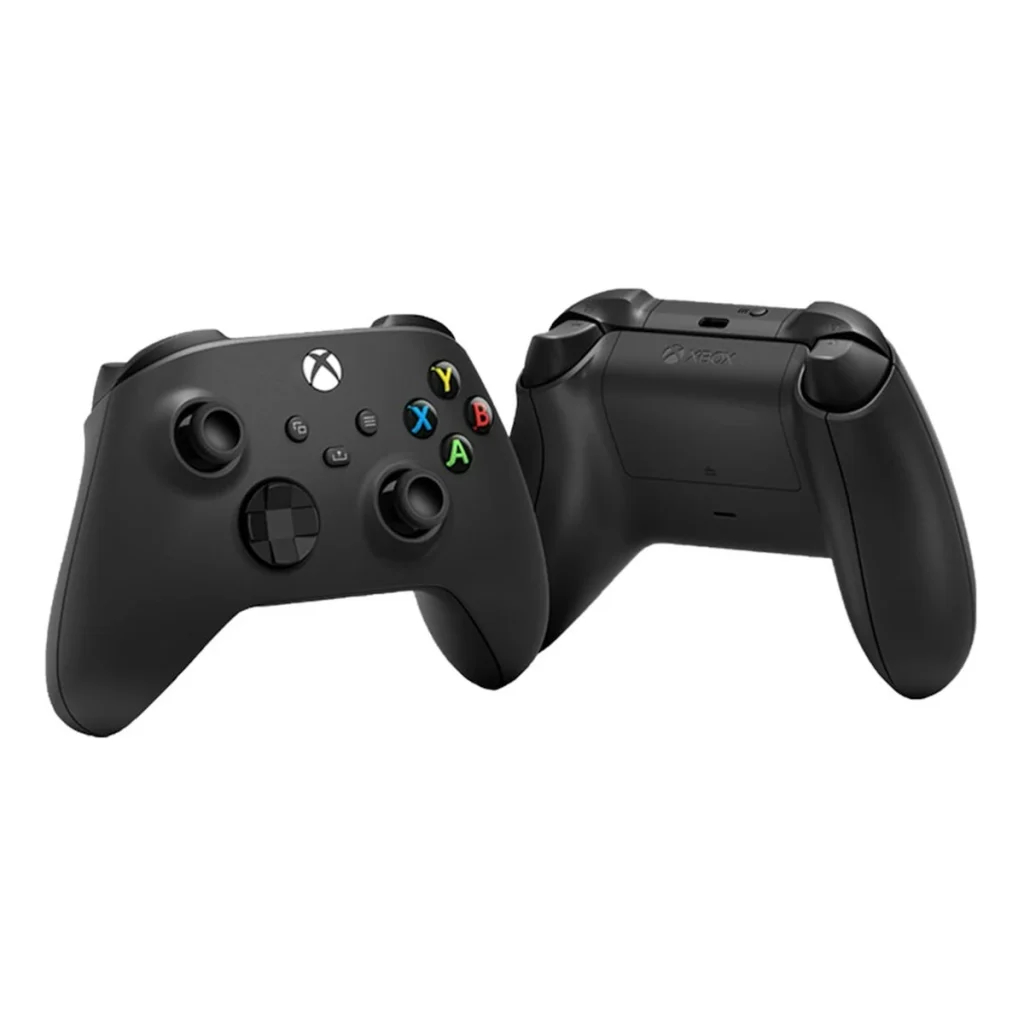
Both consoles use the same Xbox Wireless Controller, and every accessory works on either one. That includes the Elite Series 2 pro controller, headsets, the Play and Charge Kit and Storage Expansion Cards. Xbox One controllers work as well.
A second controller is the most useful extra for a shared home. You can see the Xbox Wireless Controller in Carbon Black and the Elite Series 2 in our store.
Xbox Series X vs Series S: common questions
Is the Series X worth the extra money?
Yes, if you have a 4K TV or want a disc drive. If you play on a smaller screen and download your games, the cheaper console offers better value.
Can the Series S play all the same games?
Yes. Every game made for this generation runs on both consoles. Games on the smaller console run at a lower resolution and sometimes a lower frame rate.
Can I add a disc drive to the Series S?
No. There is no drive, and Microsoft does not sell one that attaches. If you want to play discs, choose the Series X with disc drive.
Does the Series S support 4K?
It outputs a 4K signal and plays 4K streaming video, but most games render at 1440p or lower and are upscaled. Native 4K gaming needs the more powerful console.
Can I move my games from one Xbox to another?
Yes. Your digital games and saves are linked to your account and stored in the cloud. Sign in on the new console and download them again, or copy them across with an external drive.
Do I need Game Pass to use either console?
No. Game Pass is optional. You can buy games individually, and free-to-play games such as Fortnite work without any subscription.
The verdict
For most buyers, Xbox Series X vs Series S comes down to your screen, your budget and whether you want discs. With a 4K TV and room in the budget, the Xbox Series X is the console we recommend: it is sharper, faster and ready for discs. For a smaller budget, a smaller room or a Game Pass library, the Xbox Series S delivers the same games for much less.
Every console from Nine Consoles is brand-new, sealed and covered by our warranty. Browse all our Xbox and PS5 consoles, or message us on WhatsApp and we will help you choose.
Ready to order?
Message us on WhatsApp and we confirm price, stock and delivery in the USA and Canada before you pay.
Chat on WhatsApp